Shelfie: a photo of your bookshelf, mapped by AI

A weekend project that got out of hand

What's on your shelf?

Snap one photo of your bookshelf. Get back an interactive, fully labeled version where every spine is identified, every book is tappable, and your taste gets a reading personality.

Try it → shelfieai.com

I built Shelfie to answer a stupidly simple question: what if you could point your phone at a bookshelf and instantly know every book on it?

Not "drag each spine into a search box." Not "type out 60 titles." Just a photo. You take the picture, and a few seconds later you're looking at the same shelf, except now every book is identified, tappable, and woven into a little portrait of the person who owns it.

Here's what it does and how it works.

🤖
Made with AI, start to finish. The design, the code, the writing — and this very blog post — were all created with AI. I barely touched a keyboard. The full breakdown is at the bottom.
Shelfie interactive shelf view showing Bill Gates's bookshelf with detected books listed alongside
The core view: your real photo on the left, every detected book on the right, and an AI-written "reading personality" up top.

What it does

📸
Snap & identify
Upload one photo. A vision model reads the spines and pulls out title, author, and the exact spot each book sits on the shelf.
🔮
Reading personality
It reads your whole collection and names the reader behind it: "The Global Envoy," "The Optimizer," plus genre breakdowns and fun facts.
🤝
Shelf Match
Compare two shelves head-to-head and get a compatibility read. It turns out a bookshelf is a surprisingly good dating profile.
🔗
Shareable by link
Every shelf gets a permalink and an auto-generated share card. Tag @shelfieai on Twitter and a bot will map your shelf for you.

The part people don't expect is the writing. The book detection is the table stakes. What makes someone send it to a friend is the moment it describes them back to themselves: the fun facts ("you've managed to make horse racing and the history of surgical checklists coexist on one shelf"), the recommendations of books they don't own yet but obviously should.
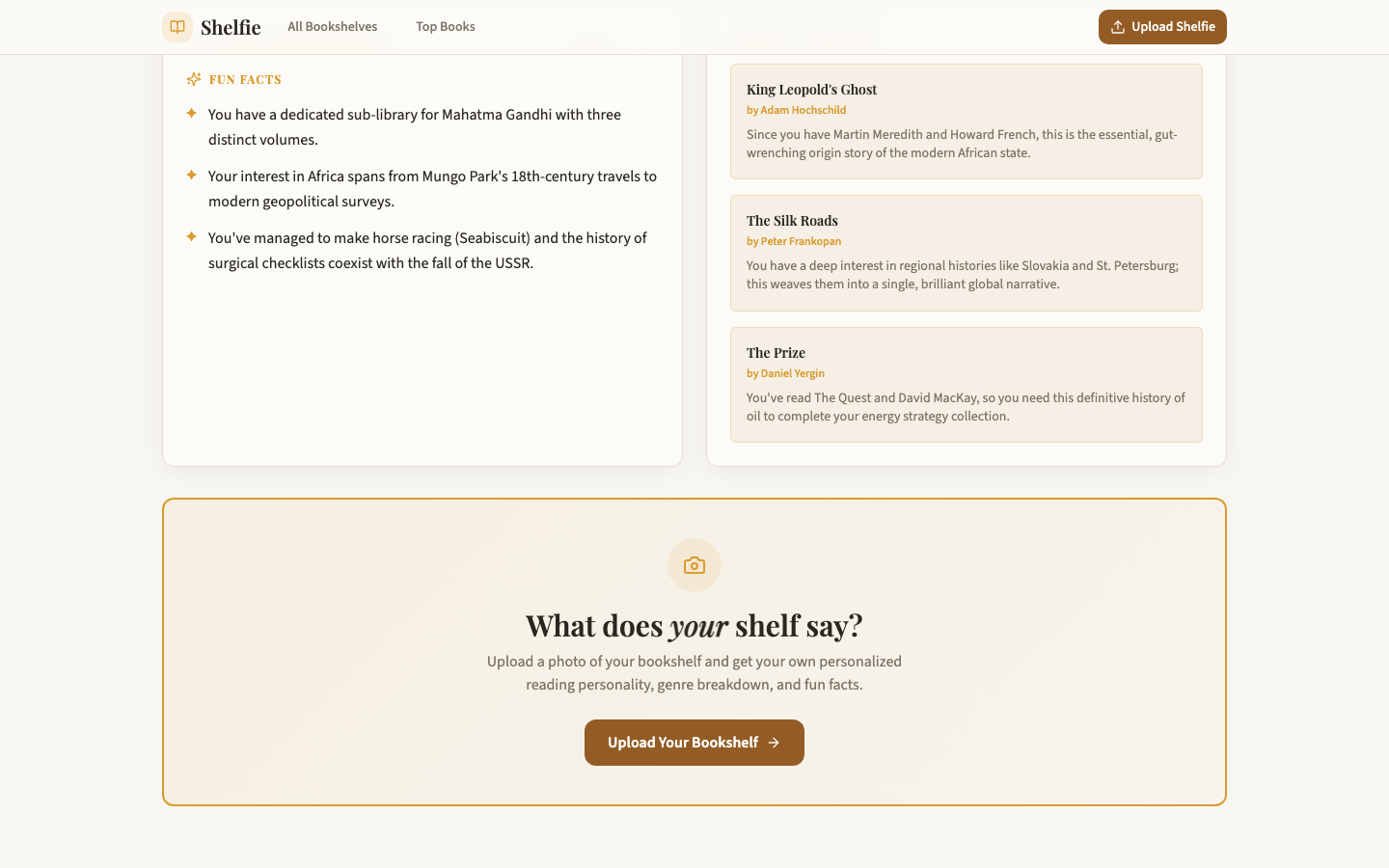
Shelfie reading profile with fun facts, AI book recommendations, and an upload call to action
Fun facts and recommendations generated from the shelf, not a generic template.

How it works

The whole thing is one trick done well: get a vision model to return not just what the books are, but where they are in the image.

STEP 1 — See the shelf
The photo goes to Google's Gemini vision model with a carefully tuned prompt. It returns every book it can read: title, author, a confidence score, and bounding coordinates for the spine.
STEP 2 — Pin each book to the pixel
Getting coordinates right was the hard part. Diagonal and stacked books broke naive approaches, so the prompt evolved to reference-point anchoring with rotation. Low-confidence reads degrade gracefully to "Unknown" instead of hallucinating a title.
STEP 3 — Make it interactive
The frontend overlays a tappable hotspot on each spine, fetches covers, and lets you zoom into the photo. Tap a book to expand it: details, links, a buy button.
STEP 4 — Write the portrait
The full booklist goes back to the model to generate the reading personality, genre mix, fun facts, and recommendations. Then it's saved, given a permalink, and rendered into a share card.
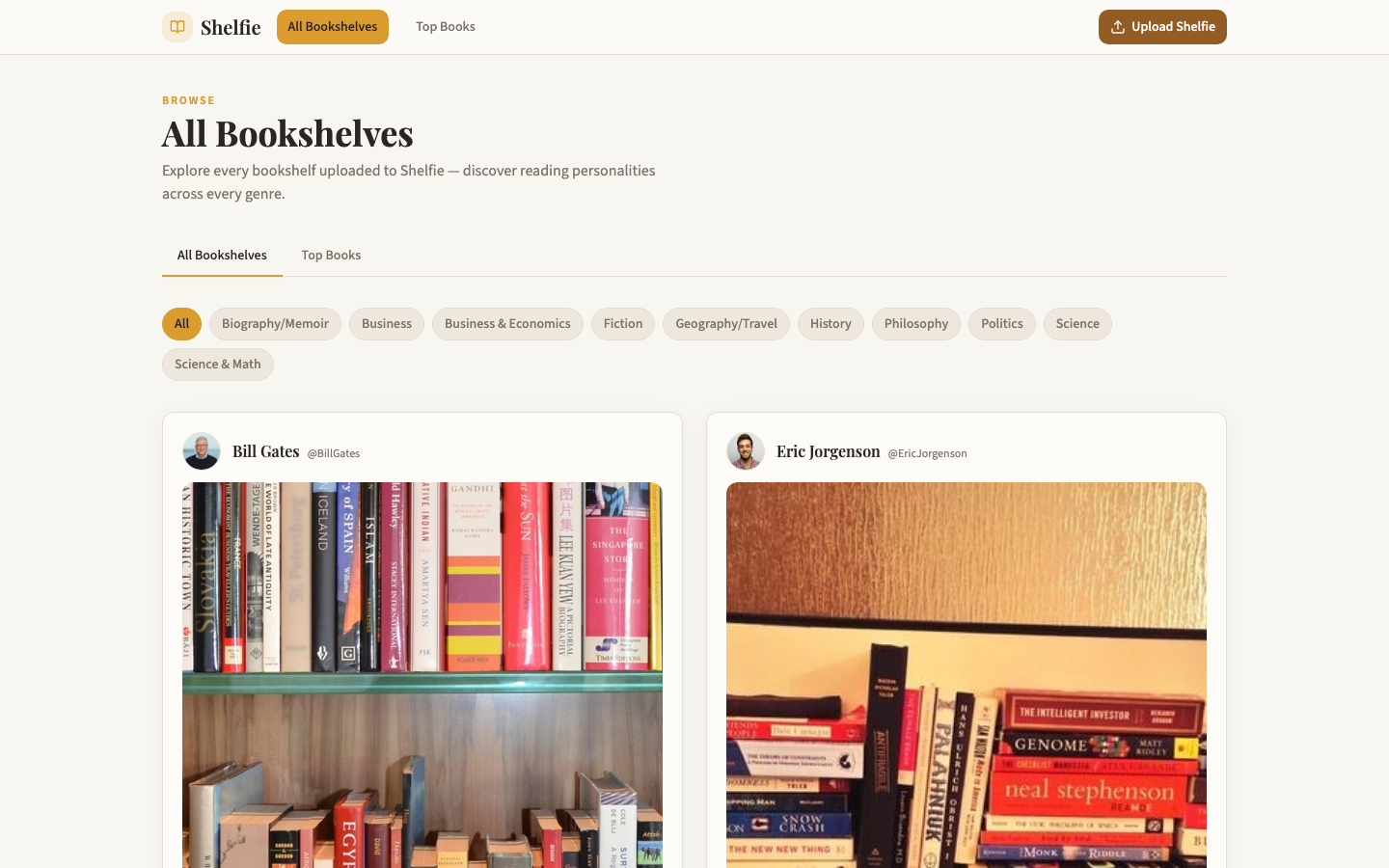
Shelfie All Bookshelves gallery
Every public shelf, browsable by genre.
Shelfie mobile view
Built mobile-first — most people shoot the photo on their phone.

Built (almost) entirely with AI

I barely hand-wrote any of this. Lovable designed and built the interface, Claude wrote the application code, and AI generated the copy throughout — including the blog post you're reading right now.

That was the easy part. The hard part, by a wide margin, was the image recognition. Reading a title off a cropped, glare-covered, slightly rotated spine and then dropping a tappable marker on the exact right pixel took endless iteration. Almost all of the real work went into the vision prompt: diagonal and stacked books, rotation, and teaching the model to say "Unknown" instead of inventing a title. Once recognition was solid, everything else — the UI, the sharing, the personality writeups — came together fast.

Why it works

Plenty of AI demos are party tricks — impressive once, then forgotten. Shelfie has a different hook: the output is actually yours. A bookshelf is a self-portrait you assembled over years without realizing it. All Shelfie does is hold up a mirror and read it back.

Go point your phone at a bookshelf.
Open Shelfie →